 HandoffBar
Menu bar app
In your Mac menu bar or Windows taskbar
Works with the terminal, VS Code, and the Claude desktop app
Every recent chat in one list. Click a chat and its handoff is on your clipboard.
 Proxylang translates websites. 77 languages from one line of code.
15% off your first month
Proxylang translates websites. 77 languages from one line of code.
15% off your first month
Claude Code charges full price to pick a chat back up after a break. HandoffBar gives you a clean and accurate handoff, so you can start a new chat instead.
Saves a handoff of every chat for you
Copy it with one click
Paste it into a new chat and keep going
Three ways to copy a handoff. They all save the same file for each chat, so you can use more than one. None of them types into your chat.
In your Mac menu bar or Windows taskbar
Works with the terminal, VS Code, and the Claude desktop app
Every recent chat in one list. Click a chat and its handoff is on your clipboard.
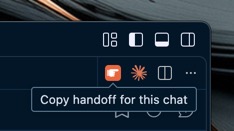
On each Claude chat tab
Works with Claude Code in VS Code
Click the orange hand to copy that chat's handoff. The bar at the bottom of VS Code shows how long its cache has left.
This chat's prompt cache expired
16 min ago. Your next message re-sends
the whole chat at full price.
press 0: [ 👉 Copy handoff ] [ Hide ]
──────────────────────────────────────
❯
──────────────────────────────────────
⚠ handoffbar: Prompt cache: expired
  16 min ago
Right above your prompt
Works with Claude Code in the terminal
Press 0 before you type anything to copy the handoff, or click the button in fullscreen mode. A countdown shows how long the cache has left.
Type this at the Claude Code prompt to install it:
/plugin install handoffbar --marketplace Proxylang/handoff-bar
The Claude desktop app can't show buttons from extensions or mods yet. Use the menu bar app there.
~/.claude/handoffs
Proxylang translates websites into 77+ languages. Add one line of code and your site is live in other languages in about a minute, with per-language SEO built in.